
YourForm.Space
Design your Google Form in seconds
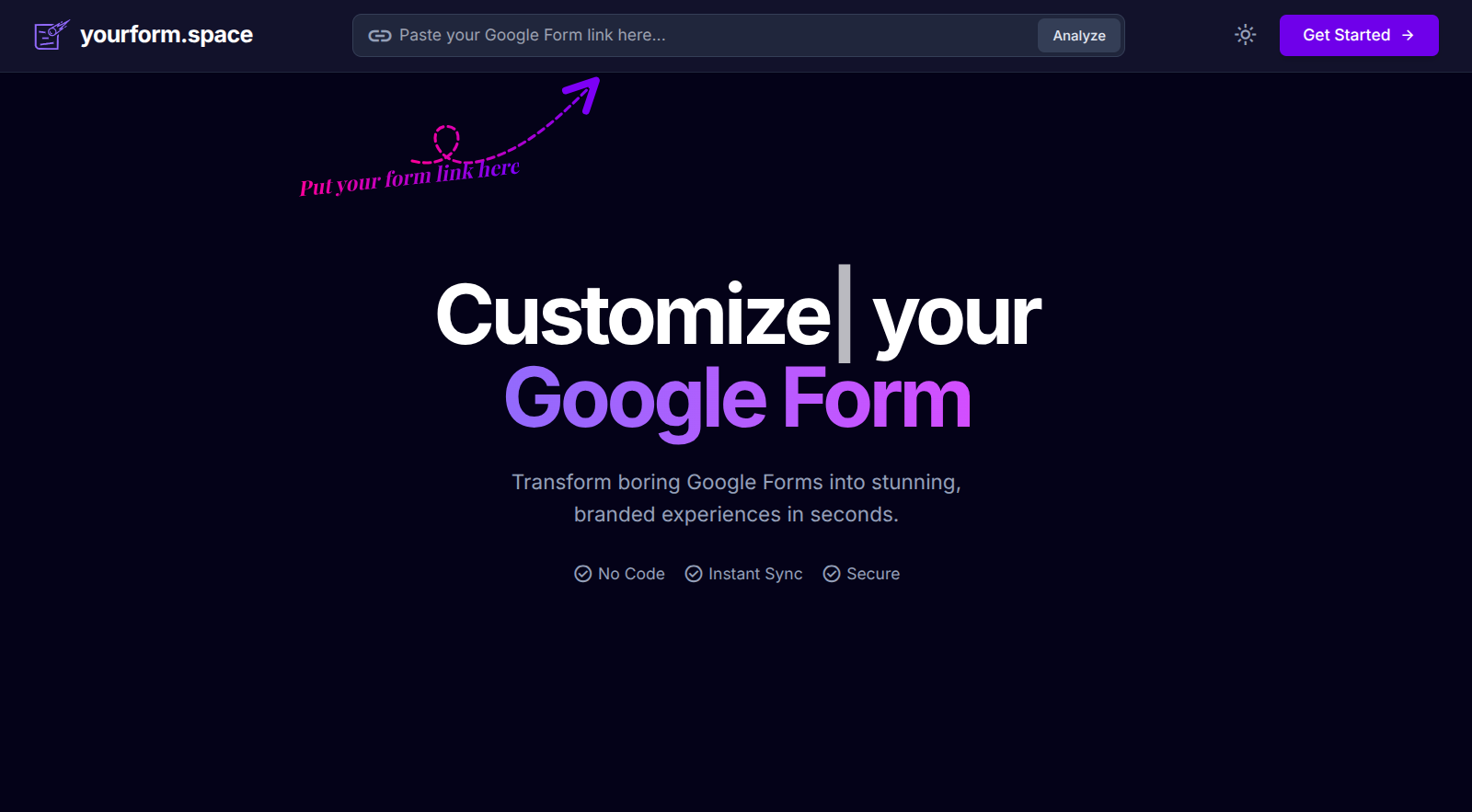
YourForm Space lets you redesign any Google Form in seconds—custom colors, fonts, spacing, branding, and layout—while keeping all responses inside Google Forms. No need for Typeform/Jotform clones or rebuilding your workflow. Just paste your form link, customize visually, publish, and use your new branded URL anywhere. The simplicity of Google Forms meets the design freedom of a modern form builder.
Reviews
This is brilliant! I've been frustrated with Google Forms' limited design options for years. YourForm.Space solves this perfectly. The custom colors and fonts make such a difference for brand consistency, and the fact that I don't have to rebuild my entire workflow or migrate data is huge. I've shared this with 5 people on my team already and everyone loves it.
Same frustration with Google Forms design! This solves it perfectly without forcing a platform migration.

Brilliant is the right word. I've been looking for something like this for years and finally found it.

The fact that it solves the design problem without breaking the Google Forms workflow is what makes it special. Simple but effective.
Absolutely love this for workshop registrations. I've customized 7 forms in the past month and the branded URLs are perfect for email campaigns. The fact that everything stays in Google Forms means my automations with Zapier still work flawlessly. Custom fonts and spacing make forms way more approachable. Best of both worlds honestly.

20% increase in completion rates is impressive! Was that just from the branded URLs or the overall design improvements?

7 forms in a month is solid usage. The branded URLs definitely make the forms feel more legitimate and trustworthy.
Not OP but I saw similar improvements. I think it's the combination of branded URLs + better visual design that reduces drop-off.

Workshop registrations are perfect for this. The professional look really matters when people are signing up for paid events.

Good solution if you're committed to Google Forms but want better design control. Been using it for about 3 weeks for course enrollment forms. The color and font customization works smoothly and the publish workflow is straightforward. Worth checking out if you're tired of generic-looking forms but don't want to switch platforms.
3 weeks on volunteer sign-ups is a good test. Does it handle large volumes well or any performance issues?
Solid assessment. The design control is really the killer feature if you're already committed to Google Forms for the backend.
We've been using it for volunteer coordination too. No performance issues even with 200+ responses on a single form.

Been using YourForm.Space for event registrations over the past 2 months and it's genuinely perfect for my workflow. The ability to customize fonts, colors, and spacing while keeping all responses in Google Forms is exactly what I needed. I've redesigned 4 different registration forms and the branded URLs look so much more professional when sharing with clients. The paste-and-go workflow takes maybe 30 seconds total.

The branded URLs are a game changer for event registrations! Way more trustworthy than a generic Google Forms link.

2 months is great validation. Have you gotten any feedback from attendees about the form experience?

Not OP but we've used it for conferences and the feedback has been really positive. People appreciate the clean design.
Works as advertised for basic customization needs. The color and font options are functional and the branded URL feature is useful. I tested it with an event RSVP form and it does what it says. Would be helpful if there were more pre-built templates to choose from instead of starting from scratch each time.
The branded URL feature is nice for sharing. Makes it look way more professional than a long Google Forms link.
Fair assessment. For basic needs it does exactly what it promises. Color and font options cover most use cases.
Have you tried any of the advanced customization options or just stuck with the basics?
This fixes the exact problem I had with Google Forms. The design flexibility is excellent and being able to apply custom branding without losing the simplicity of Google Forms is perfect. I've used it for volunteer sign-up forms and donor surveys over the past 6 weeks. The branded URLs make everything look more legitimate and professional to external audiences.

Exactly! The Google Sheets integration is what makes this a no-brainer. I don't have to change my entire workflow.

Same problem here. Google Forms look terrible but work perfectly. This fixes the design issue without breaking anything else.

The design flexibility is really impressive for something that layers on top of Google Forms. No compromises needed.
The interface is clean and the customization controls are intuitive. I tested it with a customer survey form and got it looking professional in under a minute. The spacing adjustments are particularly useful for making dense forms more readable. Only minor issue is that some advanced Google Forms features don't preview perfectly, but the actual form works fine.
The brand colors customization is great. Did you use custom fonts too or stick with the defaults?
Clean interface makes such a difference. I've customized 5 forms so far and it's been consistently easy to use.
Not OP but I used custom fonts from Google Fonts and they worked perfectly. Really helps with brand consistency.

The concept is great and customization works well for most Google Form types. I ran into issues with conditional logic forms where some branching paths don't render correctly in the preview. The published form works fine, but the preview can be misleading. Used it on Chrome 120, macOS 14. Would be good to have better support for complex form structures.

I ran into the same conditional logic issue. It seems to break when you have more than 2 nested conditions. Frustrating because the rest works great.

Have you tried simplifying the conditional logic into separate forms? Not ideal but might work as a temporary workaround.

Same issue here. Hope this gets addressed soon because conditional forms are pretty critical for complex surveys.
Solid tool for anyone who needs better-looking Google Forms without switching to Typeform. The visual customization works well and I appreciate that responses still go to Google Sheets. Used it for 3 client feedback forms and the branding options are decent. Would love to see more layout templates in future updates.
Agreed, the visual customization is straightforward. No learning curve at all if you're already familiar with basic design tools.
How does it compare to Typeform's pricing? I've been hesitant to switch because of the cost.
Not OP but it's way cheaper since you're still using Google Forms for free. You just get the design layer on top.

Been using this as my go-to solution for client forms for the past 4 months. The ability to maintain Google Forms on the backend while presenting beautifully branded forms on the frontend is exactly what small businesses need. I've created 12+ customized forms and the workflow never gets old. Custom spacing and layout controls make dense questionnaires much more user-friendly. My form completion rates actually went up by about 20% after switching.
4 months is a solid test period. Have you noticed any limitations or things it can't handle yet?
The Typeform-level design with Google Forms workflow is exactly what I needed too. Best of both worlds.
Same! Been using it for client intake forms and the combination of design control + Google Sheets integration is perfect for our workflow.

Building cool stuff on the internet 🚀
Reviewers earn credits for providing high-quality feedback.